Version v0.4.0 of the documentation is no longer actively maintained. The site that you are currently viewing is an archived snapshot. For up-to-date documentation, see the latest version.
Editions & operating modes
Leoflow ships in two editions that share the same engine, the same
Airflow-3.2.x UI, and the same DAG format (dag.py + leoflow.yaml): Lite
(the full control plane on one host — laptop, VM, or internal server) and Pro
(Helm-installed on Kubernetes). You author a DAG once and it runs on either. A
third, contributor-facing Demo mode is a production-shaped reference
environment used to validate UI compatibility — it is not an end-user surface.
Lite is the local single-host edition; Pro is the Helm/Kubernetes deployment. Both are supported today.
Pro is pre-1.0, which under SemVer means breaking changes ship between minor versions with a migration note (ADR 0037). Read the release notes before upgrading; that is the caveat, not an unsupported edition.
Editions at a glance (packaging & posture)
| Lite | Pro | |
|---|---|---|
| Status | Supported — single host | In validation — Helm on Kubernetes (tested against GKE; pin a tag) |
| Install | one command (curl … | sh) on one machine | Helm chart on your cluster |
| Command | leoflow lite | the deployed control plane |
| Auth | a single local admin login (password shown once at setup) | enterprise: SSO/OIDC, full RBAC, multi-tenant |
| Executors | a local k3d mini-cluster (real pods, requires Docker to host the cluster) or subprocess (dev-only, unsandboxed, no Docker) | Kubernetes only, at scale |
| Deploy | edit + hot-reload | GitOps: leoflow compile in CI → immutable image + dag.json |
| Intended use | local, small, or light production projects on a trusted/internal network | teams and production workloads at scale |
| Datastores | Postgres, auto-selected (Docker postgres:16 or embedded managed); no Redis — see below | external managed Postgres + Redis (versions) |
Runtime modes (Lite · Pro · Demo)
This is the runtime details view — exact ports, database names, cluster names, and CLI surface per mode.
Lite (leoflow lite) | Pro (in validation) | Demo (contributor) | |
|---|---|---|---|
| Auth | Real admin login (single admin generated by leoflow setup; password recoverable via leoflow lite reset-password) | JWT + RBAC, TLS (#58), workload identity (#56) | JWT login (real) |
| UI marker | Leoflow Lite navbar (silver edition badge) | Leoflow navbar (gold edition badge) | none (instance_name: Leoflow) |
| HTTP / gRPC / metrics | 8088 / 9099 / 9098 (distinct, coexists with Demo) | 8080 / 9091 / 9090 (per helm/leoflow/values.yaml; shares Demo’s ports — not co-located on the same host) | 8080 / 9091 / 9090 |
| Database | leoflow_dev (isolated; legacy schema name preserved for upgrade-in-place safety after the Dev → Lite rename) | external Postgres | leoflow |
| Cluster | k3d leoflow-dev (isolated; legacy cluster name preserved) | real K8s (GKE/EKS) | k3d leoflow-demo |
| DAG source | live files, hot-reload | immutable artifact via CI | frozen artifact (compile + push) |
| Executor | k3d pods (default) or subprocess (--executor) | KubernetesExecutor | KubernetesExecutor |
Leoflow Lite
Lite is the whole control plane on your machine, scoped down for local use. One
command installs it, leoflow setup
provisions a managed Python and a single admin, and leoflow lite <project>
serves the UI with hot-reload at http://localhost:8088 (marked Leoflow Lite
in the navbar, login enabled). Edit dags/<project>/dag.py or leoflow.yaml,
save, and it hot-reloads — fully isolated from Demo (own DB, own cluster, own
ports) so there is no split brain.
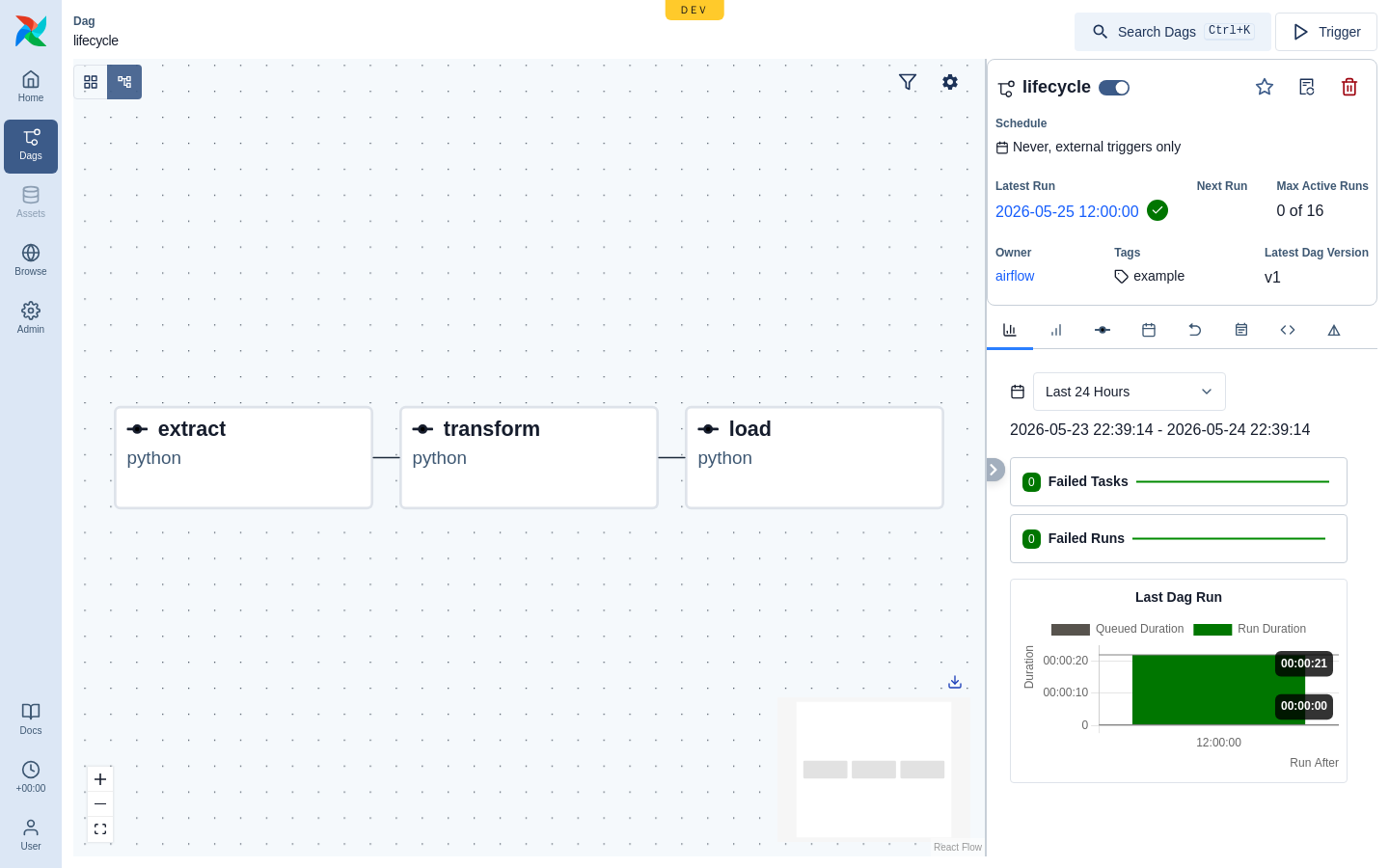
leoflow doctor— check the host (OS, Docker/k3d/kubectl/python3) and report the achievable executor tier.leoflow lite dags/hello— run a project (k8s executor: real k3d pods).leoflow lite --executor=subprocess dags/hello— fast host loop (no image build).leoflow db migrate|reset— manage the Lite database (Airflow-style).
It is deliberately simple, which has security implications:
Lite’s admin password is short and human-friendly (easy to type), and it is a single local admin — there is no SSO/RBAC. Run Lite on localhost, an internal network, or a VPN. Do not expose a Lite instance to the public internet. For team/production use, that is what the Pro edition is for.
Lite also includes a small built-in web editor (Monaco, with Python/YAML highlighting) so you can edit DAG projects from the browser — a Lite-only convenience; Pro teams use their own editor and the GitOps flow.
The Dev → Lite rename is a product/branding change — the internal storage
names (leoflow_dev database, leoflow-dev k3d cluster) are preserved so existing
installs upgrade in place.
Datastore (auto-selected), no Redis
Lite’s datastore is Postgres, chosen automatically for the host: when Docker is
present it uses the postgres:16 container; when it is not, it falls back to an
embedded managed Postgres (a pinned, checksum-verified relocatable build
downloaded under ~/.leoflow, on a local Unix socket) — so leoflow lite runs on
a Docker-free host with nothing to install. (Force either with
--postgres docker|managed.)
Either way Lite needs no Redis — scheduler locks use Postgres advisory locks and XCom is stored in Postgres. The Postgres-backed XCom is durable (it survives a restart), which suits light production, and a single datastore is simpler to operate; Redis is a production-scale concern. (See ADR 0026.)
Lite’s BufferedDispatcher uses
BufferSize=0 — task dispatch runs synchronously on the scheduler tick, one task
at a time. A fan-out DAG with N parallel branches still executes in parallel
inside the cluster (real pods, or subprocesses), but the launch of those tasks
is serialized through one goroutine. This is what makes Lite cheap to operate on a
single machine. For higher launch throughput, Pro uses BufferSize>0 +
Workers>1 (a bounded pool).
For task execution, the k3d path runs real pods and therefore requires Docker
to host the cluster — but Docker is only the substrate of k3d, never an
executor: Lite talks to the Kubernetes API, and a Docker-socket executor was
rejected because it is equivalent to host root. subprocess runs tasks directly
on the host (no Docker, no isolation) as an explicitly dev-only escape hatch. (See
ADR 0027.)
Leoflow Pro (chart-installable)
Pro is the enterprise control plane: enterprise authentication (SSO/OIDC), full
role-based access control, multi-tenant isolation, the Kubernetes executor at
scale, first-class observability, and the GitOps deploy flow (DAGs as immutable
images + dag.json, shipped from CI). The Helm chart is Helm-installable and in
active validation — tested against GKE, not yet certified for production. Pin a
specific tag and read the release notes before upgrading (pre-1.0, breaking changes
ship between minor versions with a migration note, ADR 0037).
Install via the Helm chart (chart-test gated, multi-arch images published per release, signed with cosign). Hardening templates ship as opt-in toggles: HPA + PDB + NetworkPolicy + ServiceMonitor. Runs on any K8s cluster with external Postgres + Redis.
Deployment topology (role split)
Pro can run the control plane as one process or split into two deployments
by server.role (ADR 0049).
Lite is always role=all. Splitting lets the internet-facing API run under
least-privilege RBAC while only the scheduler holds pod-create and agent-facing
rights; the two halves share nothing but Postgres.
flowchart TB
  subgraph LITE["Lite · role=all — one process"]
    ALL["leoflow-server<br/>API + UI + scheduler<br/>+ dispatch + agent gRPC"]
  end

  subgraph PRO["Pro · role=api + role=scheduler — two deployments"]
    direction LR
    subgraph D1["Deployment: role=api (restricted)"]
      APIP["API + UI<br/>internet-facing"]
      RB1["ServiceAccount<br/>least-privilege RBAC<br/>(no pod create,<br/>no agent gRPC)"]
    end
    subgraph D2["Deployment: role=scheduler (privileged)"]
      SCHP["scheduler + dispatch<br/>reconciler + agent gRPC"]
      RB2["ServiceAccount<br/>pod create/delete<br/>+ TokenReview"]
    end
    APIP --- PGP[("Postgres<br/>shared state")]
    SCHP --- PGP
  end
See the architecture overview for how the roles sit in the whole system.
Demo (contributor reference)
The familiar, production-like environment for contributors to validate the
Airflow-UI compatibility and showcase the product. It serves frozen artifacts — to
change a DAG you leoflow compile + leoflow push. Auth is on; log in normally.
Demo is the target for UI compatibility work and is
referenced from the contributing guide.
Which one? (recommendation)
Choose by deployment, not by feature checklist:
- Choose Lite when you run on one machine (laptop, a small VM, an internal
box), want a one-command, Docker-free install, and your workload is local
development, a small project, or light production on a trusted/internal
network. Lite goes from zero-dependency (
subprocess) to real pod-per-task (k3d) on the same binary, with a durable embedded Postgres. - Choose Pro when you need Kubernetes at scale, a team (SSO/OIDC + RBAC + multi-tenant), high XCom throughput, external managed datastores, and the GitOps deploy flow — delivered as the Helm chart.
Rule of thumb: if it fits on one host and the network is trusted, Lite is enough; when you need a cluster, multiple users, or scale, that’s Pro. Because both editions share the DAG format, the engine, and the UI, a DAG authored on Lite carries straight over to Pro unchanged — going from a single host to a cluster is a deployment change, not a DAG rewrite.